Release prompt changes without an app update
Use prompt releases for calls routed through a gateway service. Your app selects a prompt slug and environment; the dashboard selects the saved version behind that environment. Start with a staging environment and a real provider request before publishing the version to production.
Updated · HyperProxy team
Test a prompt. Publish it. Roll back.
Connect your app to a named prompt environment once, then change its saved version from the dashboard without another app release.
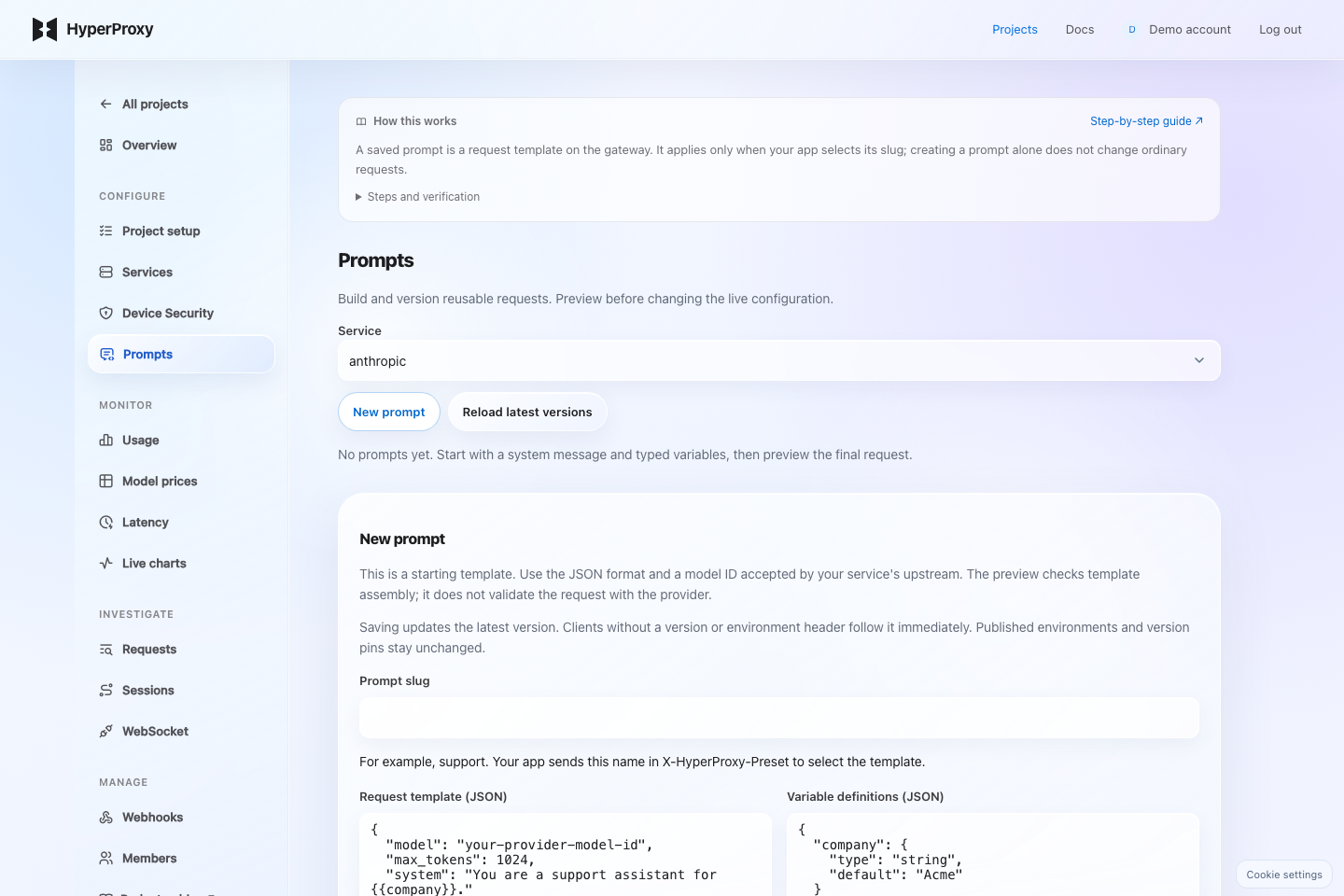
Service and prompt slugSelect the service receiving the request. The slug is the name your app selects in X-HyperProxy-Preset; creating a prompt alone does not affect requests without a selector.
Request templateEnter a JSON object matching this provider's API, with its real model ID. OpenAI-compatible APIs use a messages array; Anthropic uses a separate system field and max_tokens; Gemini uses contents and systemInstruction. Custom and media APIs need their own JSON fields.
Variable definitionsDefine each {{name}} with its type and optional default. For example {"company":{"type":"string","default":"Acme"}}. Variables without defaults are required. Arrays and objects must replace an entire value. Empty definitions leave placeholders literal.
Message handling and ActiveAppend places template messages before client messages; Replace substitutes the template messages. This affects the messages array only, not Gemini contents. Other template fields override client fields. Turning Active off also prevents pinned versions from being used.
Input values and Client requestInput values fill variables, for example {"company":"Acme"}. Client request is the JSON your app would send. Preview assembled request shows the merge without generating a model response.
- 1Save and preview
Open Project → Prompts. Define a JSON request template and typed variables. Preview the assembled request without calling a model.
- 2Verify in staging
Publish a saved version to staging. Send test requests using the environment header below. Model requests consume normal provider usage; assembly preview is free.
- 3Publish to production
Select that saved version for production. Later template edits do not move this environment. To roll back, publish an earlier version. Every switch records its actor, time and release note.
X-HyperProxy-Key: <your-app-key>
X-HyperProxy-Preset: support
X-HyperProxy-Preset-Environment: production
X-HyperProxy-Prompt-Variables: {"company":"Acme"}
Use either an environment header or X-HyperProxy-Preset-Version. Without either selector, existing clients follow the latest saved version. Missing environments fail explicitly. Environment names select versions within a service; they are not separate access permissions.
Typed variables support string, number, integer, boolean, array and object. The saved template takes precedence over client fields. Select append mode to place template messages before client messages. Request details record the environment and resolved version.
Verify it works
Preview the assembled request first, then send a gateway request selecting the staging environment. Inspect Request details for the resolved prompt version and environment. Publish that exact saved version to production and confirm the next request resolves it. Test rollback by republishing an earlier version.
Troubleshooting
Saved prompt does not affect calls
Send X-HyperProxy-Preset with the service’s prompt slug. Saving a template does not automatically select it for requests.
Assembly works but the provider rejects it
Assembly preview does not call the provider or validate its schema. Use the correct provider-native JSON and run a staging model request.
Variables or version behave unexpectedly
Supply every required typed variable. Choose either an environment or a pinned version. Keep Active enabled; environments select versions and do not grant access permissions.
Next steps
1,000 requests per month shared across projects. No card required. Provider charges are separate.